

HOP

No internet · no signal

The messenger that works where there’s no signal.

Messages hop from phone to phone over Bluetooth and Wi‑Fi — at a concert, in a stadium, in the mountains and on a plane. End-to-end encrypted, no phone number, no account.

Free · no ads · no account

Scroll to see how it works

Matches and stadiums

Full stands. Zero signal.

Meet at the gate, find your group after half-time — even when the stands have no signal.

Concerts and festivals

Thousands of people. One network — yours.

Thousands of phones jam the network. HOP keeps you in touch with friends through the phones around you.

Planes and travel

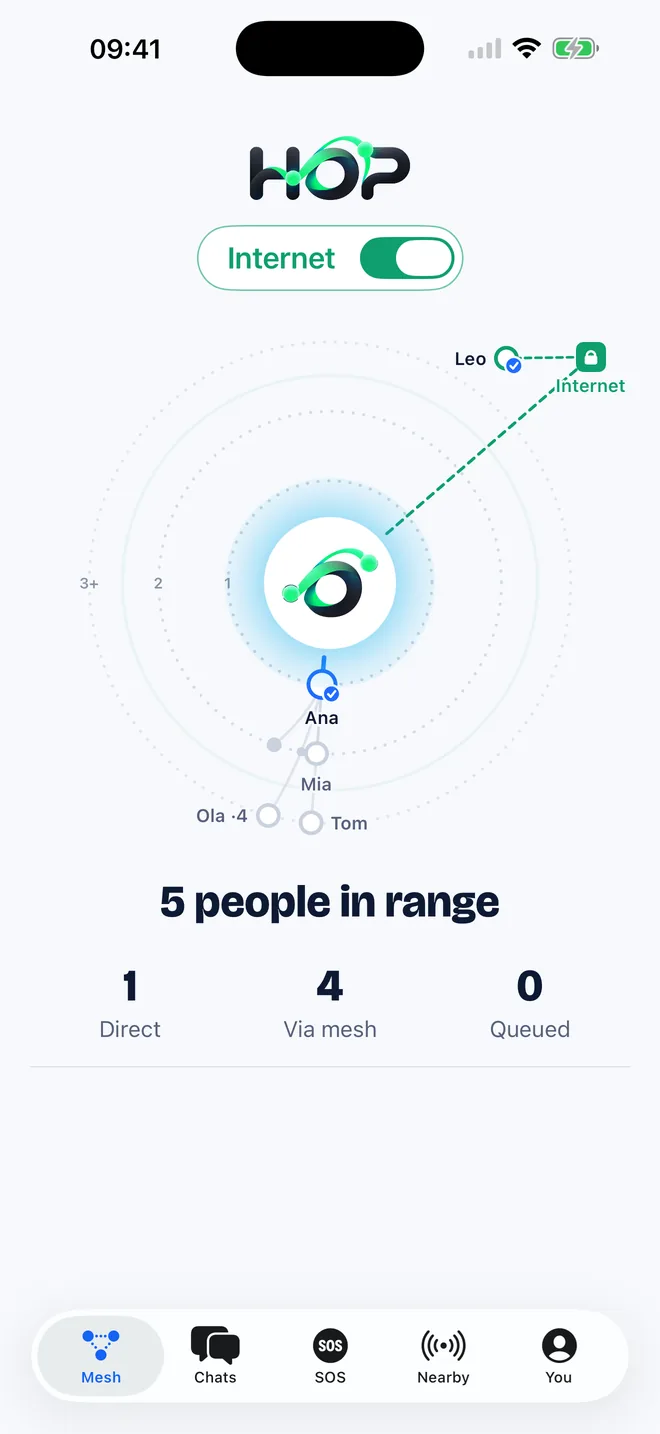
No Wi‑Fi on board? The whole plane is in range.

In airplane mode, switch Bluetooth and Wi‑Fi back on. Your message hops from seat to seat — front row to last row, no in-flight internet needed.
Planes and travel

SOS

An SOS that finds its way

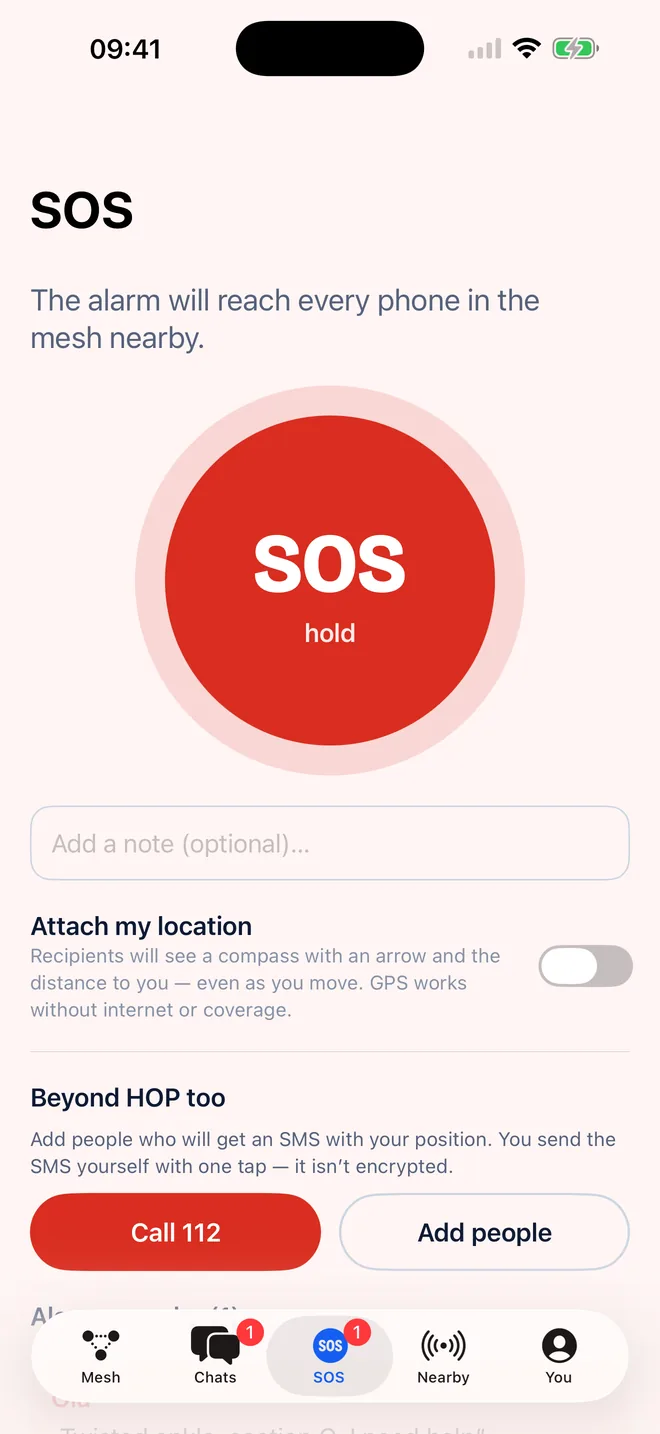
Hold the SOS button for 2 seconds. The alarm reaches every HOP phone nearby — across many hops too.

  • GPS position

    GPS works without internet. Recipients see a compass with an arrow and the distance to you — even as you move.

  • Your people get told

    If you like, HOP prepares an SMS with your position for people you choose, and verified contacts get the alarm over the internet too.
SOS

Privacy

Privacy, no compromises

  • End-to-end encryption

    Only the recipient can read the content. Keys are created on your phone and never leave it.

  • No number, no account

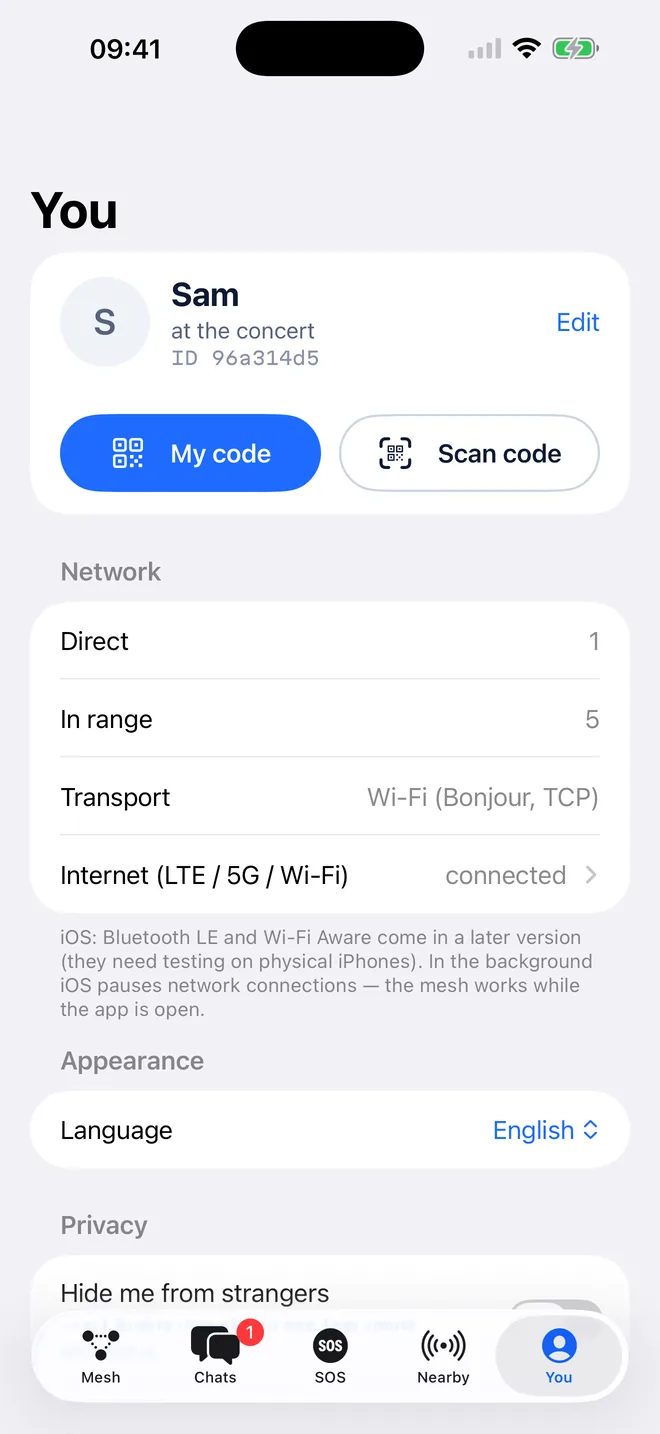
    No phone number, e‑mail or password. You add a contact by scanning the QR code of the person next to you.

  • Hide from strangers

    Strangers see only a grey dot — no name, no status. Friends see you as usual.
Privacy, no compromises

Internet

Internet? Only if you want it.

By default HOP works offline. You can turn on an extra relay on the internet — it can’t read your messages, but like any relay it sees which HOP IDs exchange envelopes, when and how big they are.

Flip the switch

Internet

See it in action

In eight languages

Polski, English, Deutsch, Français, Español, Italiano, Português, Українська — the app picks your phone’s language.

Frequently asked questions

Does HOP really work with no internet and no signal?

Yes. Phones with HOP connect directly over Bluetooth and Wi‑Fi, without towers or routers. The more people nearby have HOP, the further the network reaches.

What’s the range?

One hop is usually from a dozen to about a hundred metres, depending on the phones and obstacles. A message can pass through many phones, so the network’s range grows with the number of people.

What if there’s no one nearby?

The message waits in a queue and sends itself when a route appears — even hours later. With the internet on, it can go through the HOP relay.

Can someone along the way read my messages?

No. Private messages are end-to-end encrypted. Phones along the way and the relay can’t open the envelope — they only see who it’s from and to (HOP IDs), when it was sent and how big it is. Public announcements in the “Nearby” tab are signed but not encrypted — so everyone around can read them.

Is HOP free?

Yes. HOP is free, with no ads and no in-app purchases.

Do I need an account or a phone number?

No. You only choose a name others see. Your identity is a key pair generated on your phone.

Can I use HOP on a plane?

Yes, if the airline allows Bluetooth or Wi‑Fi in airplane mode (most do). Turn on airplane mode, then switch Bluetooth and Wi‑Fi back on.

Does HOP replace 112?

No. HOP’s SOS helps reach people nearby and your contacts, but it doesn’t guarantee delivery or connect to emergency services. If you have signal, always call 112.

How much battery does HOP use?

Balanced mode is a sensible compromise. On low battery HOP switches to Saver by itself. “Always active” on Android relays messages non-stop at the cost of more battery.

Does HOP work on iPhone?

Yes, with limits. On iPhone HOP connects over a shared Wi‑Fi network (a hotspot with no internet is enough), and iPhones near each other can also connect directly over Apple’s peer-to-peer Wi‑Fi — Wi‑Fi just has to be on. HOP doesn’t use Bluetooth on iPhone yet, so an iPhone and an Android phone connect only over a shared Wi‑Fi network or the internet relay. iOS pauses apps’ connections in the background, so the mesh works while HOP is open.

How do I add a friend?

In the You tab show your QR code and scan the other person’s. A scanned contact is verified — you can be sure you’re writing to the right person.

What do strangers nearby see?

Your name and status by default. With “Hide me from strangers” on, strangers see only an anonymous dot.

Stay in touch, even when the network goes quiet.

Get HOP and ask your friends to do the same — every phone extends the network.